We may earn a commission when you buy through links on this site, at no extra cost to you. As an Amazon Associate I earn from qualifying purchases.
Comparison
Best Monitors of 2026: 9 Models Compared
We compared the published specs of 9 monitors for 2026, from a one-cable 4K Dell to OLED gaming screens and a portable display, and ranked them by who each suits.
B By the Best Monitor Guide editorial team ·Published
At a glance
Most people should start with the Dell 27 Plus 4K USB-C (S2725QC): 4K at up to 120 Hz and one-cable laptop charging up to 65W. The Dell UltraSharp 27 4K Thunderbolt Hub (U2725QE) adds 140W charging, Ethernet and a KVM switch, and the BenQ MA270U suits MacBook owners.
A good monitor is one of the cheapest upgrades for a desk. It is also easy to get wrong, because the same panel size can mean a laptop dock, a gaming screen or a streaming TV. We do not test products ourselves. We compared the specifications published by Dell, BenQ, Samsung, LG and ASUS, plus the named third-party articles we opened, and ranked nine monitors by who each one suits. Where a maker’s page does not state a figure, we say so instead of guessing.
How We Picked and What Matters
Six questions sort the field quickly.
Resolution and size. A 27-inch 4K screen packs about 163 pixels per inch, which makes text crisp. A 27-inch 1080p screen is about 82, so text is softer. At 1440p, a 27-inch screen is a middle ground that is much easier for a graphics card to drive than 4K.
Refresh rate. 60 Hz is fine for documents and video. 100 to 120 Hz makes scrolling and dragging windows smoother. Gaming screens go from 180 Hz up to 480 Hz, but only a fast graphics card can use that.
Panel type. IPS panels have wide viewing angles and are bright. VA panels have deeper blacks. OLED panels have the best contrast and fastest response, with lower full-screen brightness and a need for burn-in care.
Ports. USB-C with DisplayPort Alt Mode and power delivery lets one cable carry video and charge a laptop. Check the wattage against your laptop’s charger. HDMI version matters for consoles, and DisplayPort matters for high refresh rates on a PC.
Stand. Height, tilt, swivel and pivot adjustments help comfort. A VESA 100 x 100 mm pattern lets you use a monitor arm.
Seller and warranty. Some Amazon listings come from third-party sellers. Check the seller, the exact model number and whether the manufacturer’s warranty applies.
DisplayPort and HDMI per the listing; counts and versions unconfirmed
7
Samsung Smart Monitor M8 32” (M80D)
32 in.
3840 x 2160
60 Hz
VA
USB-C (65W), HDMI 2.0
8
Dell 27 Monitor S2725HS
27 in.
1920 x 1080
100 Hz
IPS
2 HDMI
9
ASUS ZenScreen MB16AHG
15.6 in.
1920 x 1080
144 Hz
IPS
2 USB-C (DisplayPort Alt Mode), mini HDMI
Specs are from each maker’s page. The Alienware 360 Hz over DisplayPort and 144 Hz over HDMI limits are from Notebookcheck, and Dell’s pages we opened give no full port list. LG lists its HDMI ports as HDMI 2.1 in its launch announcement.
1. Dell 27 Plus 4K USB-C (S2725QC) — The Right Monitor for Most People
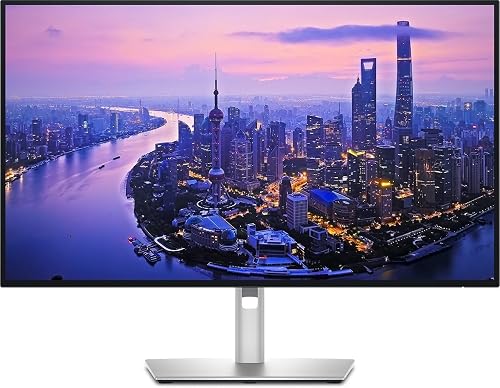
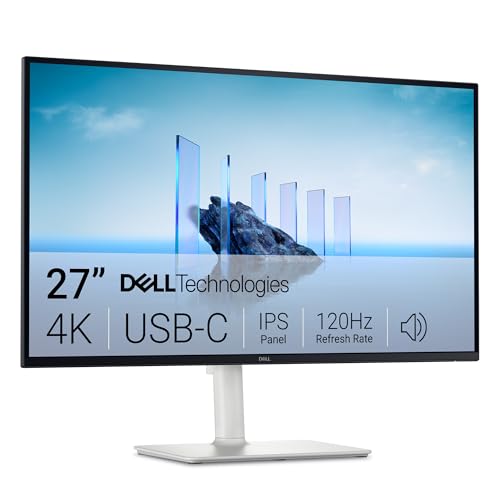
According to Dell, the S2725QC is a 27-inch IPS monitor at 3840 x 2160 with a refresh rate of up to 120 Hz, 99% sRGB coverage, 350 cd/m2 brightness and AMD FreeSync Premium. Its USB-C upstream port supports DisplayPort 1.4 Alt Mode and up to 65W of power delivery. Dell also lists two HDMI 2.1 ports, USB-A ports, two 5W speakers and a stand with about 5.1 inches (130 mm) of height adjustment, tilt, swivel and pivot. The model code matters: the S2725QS looks the same but has no USB-C. Our Dell S2725QC profile has the full details.
It ranks first because it does the ordinary things well and costs less than the premium docking model. One cable gives a laptop video, charging and USB devices. The 4K panel is sharp for text and photos, and 120 Hz makes everyday movement smoother. The limits are plain: no DisplayPort input on Dell’s list, modest brightness and no HDR certification. If your laptop charger is rated above 65W, the laptop may charge slowly under load.
2. Dell UltraSharp 27 4K Thunderbolt Hub (U2725QE) — The Docking Monitor for Professionals
The docking monitor for professionals and hybrid workers who juggle a laptop, a second computer and wired networking. Overkill if you only need a big, sharp screen.
What we like
Thunderbolt 4 upstream with up to 140W power delivery, plus 2.5GbE Ethernet and a KVM switch
IPS Black panel with 99% DCI-P3, 450 cd/m2 typical and DisplayHDR 600
Stand with 5.9 inches (150 mm) of height adjustment, tilt, swivel and pivot
Drawbacks
No built-in speakers on Dell's spec list
A 5 ms fast mode makes it a poor fit for competitive gaming
Dell’s UltraSharp U2725QE uses a 27-inch IPS Black panel at 4K and 120 Hz, with a 3,000:1 native contrast ratio, 99% DCI-P3, 450 cd/m2 typical brightness and VESA DisplayHDR 600. The connections are the real reason to buy: a Thunderbolt 4 upstream port with up to 140W of power delivery, a Thunderbolt 4 downstream port for daisy-chaining, HDMI 2.1, DisplayPort, USB-C and USB-A ports, 2.5GbE Ethernet and a KVM switch. Dell’s UK page lists a 3-year Advanced Exchange warranty. See the Dell U2725QE profile for the rest.
It ranks second because it is the better monitor on paper, but fewer people need what it adds. Hybrid workers who switch between a work laptop and a personal PC will use the KVM, and photographers and designers will value the wider gamut. Buyers who only want a big sharp screen can save money with the S2725QC. Dell lists no speakers, and the 5 ms fast mode is not meant for competitive play. This model is sometimes sold by third-party sellers, so check the seller and warranty.
A thoughtful 4K monitor for MacBook owners who want charging, matching color and keyboard control. Windows users get less out of the Mac-specific features.
What we like
27-inch 4K matte IPS with 95% P3 and Mac Color Match
USB-C with 90W power delivery, a second USB-C port and two HDMI 2.0 inputs
BenQ's Display Pilot 2 software can link MacBook brightness and volume keys
Drawbacks
60 Hz only, so motion is less smooth than on 120 Hz screens
Stand has less height and swivel range than the Dell models
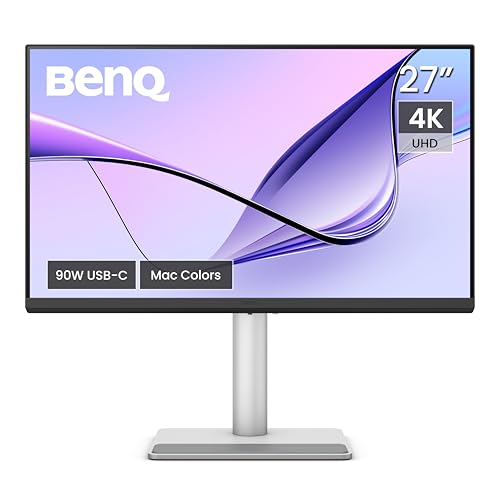
BenQ’s MA270U is a 27-inch IPS monitor at 3840 x 2160 and 60 Hz, with a matte Nano Matte coating, 99% sRGB, 95% P3 and VESA DisplayHDR 400. BenQ lists a USB-C port with 90W power delivery, a second USB-C downstream port, two USB-A ports and two HDMI 2.0 ports, plus two 3W speakers. Its Display Pilot 2 software can link a MacBook’s brightness and volume keys to the monitor. The stand offers about 4.5 inches (115 mm) of height adjustment, and the monitor supports VESA 100 x 100 mm mounting. Read the BenQ MA270U profile for more.
It ranks third because it is the best fit for one group: MacBook owners who want color close to their laptop screen and a higher-wattage USB-C port. The 90W figure covers more laptops than the Dell’s 65W, and the matte finish helps near windows. The trade-offs are the 60 Hz refresh rate and a stand with less height and swivel range than the Dell models. Windows users will not get much from the Mac features, so they should pick one of the two Dells above it.
4. Samsung Odyssey G5 G50D 27” — The Most Affordable Gaming Pick
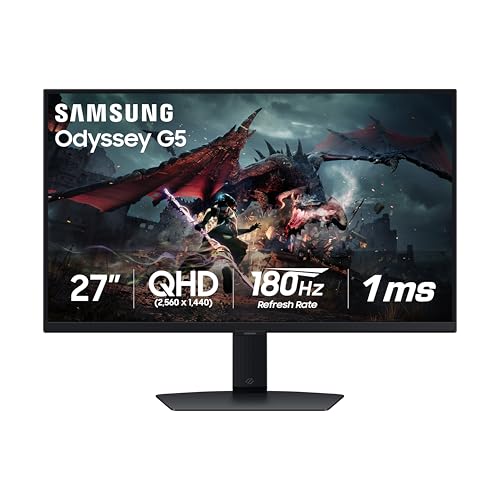
Samsung lists the G50D as a 27-inch IPS monitor at 2560 x 1440 with a 180 Hz maximum refresh rate, 1 ms gray-to-gray response, 99% sRGB, 350 cd/m2 typical brightness and VESA DisplayHDR 400. It supports G-Sync Compatible and AMD FreeSync. Samsung’s table lists one DisplayPort 1.2 and one HDMI 2 port, a height, tilt, swivel and pivot stand and VESA 100 x 100 mm mounting. The model on our list is LS27DG500ENXZA, a 2024 design. Samsung’s own store listed it as out of stock when we looked, so check the seller on the Amazon listing. The Samsung G50D profile covers the details.
It ranks fourth because gaming is a narrower job than office work, but within that job it is the most approachable way into high refresh rates. Use the DisplayPort connection on a PC for the top refresh rate. It has no USB-C, no speakers and a listed 1-year warranty. Because Samsung lists no HDMI 2.1 port, it suits PC players more than console owners who want 4K at 120 Hz.
5. LG UltraGear OLED 27GX790A-B — The Premium Competitive Gaming Pick
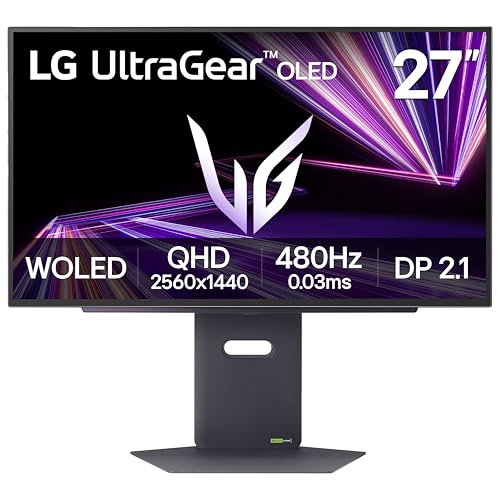
LG lists a WOLED panel at 2560 x 1440 with a 480 Hz refresh rate, 0.03 ms gray-to-gray response, 1,500,000:1 typical contrast and VESA DisplayHDR True Black 400. It supports G-Sync Compatible and AMD FreeSync Premium Pro. LG’s Canadian page lists one DisplayPort 2.1 port, two HDMI ports (HDMI 2.1 in LG’s launch announcement) and USB 3.0 ports. The stand has about 4.3 inches (110 mm) of height adjustment, tilt, swivel and pivot. Typical brightness is 275 cd/m2. The LG 27GX790A profile goes into more detail.
It ranks fifth because it is the fastest screen here but a specialist’s tool. Reaching 480 Hz needs a graphics card with a DisplayPort 2.1 output and a rated cable. The screen looks best in a room where you control the light. LG’s spec pages that we read list no USB-C video input, no speakers and no warranty terms, so read LG’s current US warranty for this exact model and check the seller. Use dark mode and an auto-hiding taskbar to ease burn-in risk.
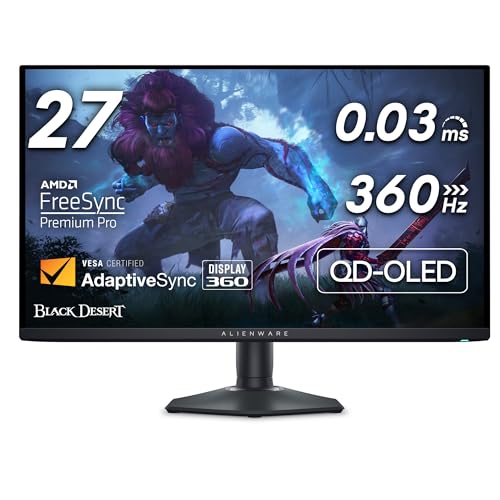
Dell lists the AW2725DF as a 27-inch class QD-OLED monitor at 2560 x 1440 and 360 Hz, with FreeSync Premium Pro and VESA DisplayHDR True Black 400. The Amazon listing gives a 26.7-inch viewable size. According to Notebookcheck, 1440p at 360 Hz works over DisplayPort only, and HDMI is limited to 1440p at 144 Hz. The Amazon listing title mentions HDMI, DP and USB 3.2 Gen1 connections and a stand with height, tilt, swivel and pivot adjustment, but the Dell pages we opened give no full port list, speaker details or VESA pattern, so we do not state them. See the Alienware AW2725DF profile for more.
It ranks sixth because it asks more of the buyer than the LG does. Dell’s pages we opened do not confirm a USB-C video input or built-in speakers, so check the spec sheet if you want to dock a laptop or rely on monitor audio. OLED text can look different from LCD text, so use the return window to check how documents look. We could not confirm Dell’s burn-in coverage terms, so read Dell’s warranty page and confirm the seller. The model launched in early 2024 and the names are close, so check that the listing says AW2725DF and 360 Hz, not the AW2725D or the 4K AW2725Q.
7. Samsung Smart Monitor M8 32” (M80D) — The All-in-One for Small Spaces
An all-in-one screen for dorms, small apartments and home offices that also want streaming. Better as a one-room screen than a pure productivity or gaming monitor.
What we like
Streaming apps, remote and 10 W speakers built in, so it works without a PC
32-inch 4K VA panel with 99% sRGB and HDR10+ per Samsung
USB-C with 65W charging, a camera and a height-adjustable stand
Drawbacks
Limited to 60 Hz and a single HDMI 2.0 input
Smart-TV menus and software add complexity a plain monitor lacks
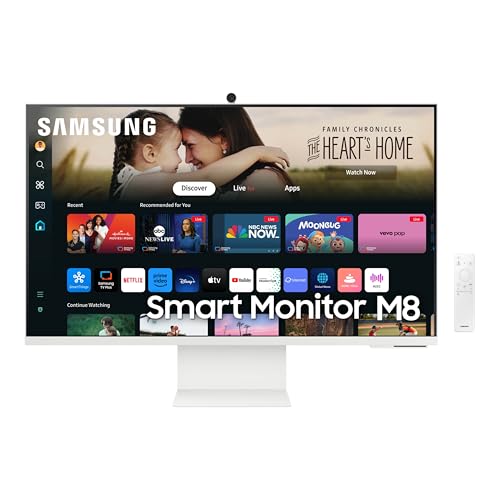
Samsung lists the M8 (M80D, model LS32DM801UNXZA) as a 32-inch 4K VA monitor at 60 Hz with 400 cd/m2 typical brightness, a 3,000:1 contrast ratio, 99% sRGB and HDR10+. It runs Tizen with streaming apps, Gaming Hub, Wi-Fi 5 and Bluetooth 5.2, and includes a remote and a camera. Samsung’s table lists one USB-C port with 65W charging, one HDMI 2.0 port, two USB 2.0 ports and 10 W speakers. The stand adjusts for height, tilt and pivot, with a 100 x 100 VESA pattern. Samsung’s Canadian page is our source, so verify the model number on the listing. The Samsung M8 profile has more.
It ranks seventh because it is a versatile screen for one room rather than the best pure monitor. In a dorm or studio, it can stream without a PC and still charge a thin laptop over USB-C. The single HDMI input, the 60 Hz limit and the extra menus and sign-ins count against it for work and gaming. It is a 2024 model, so shop the listing carefully.
8. Dell 27 Monitor S2725HS — The Budget Everyday Monitor
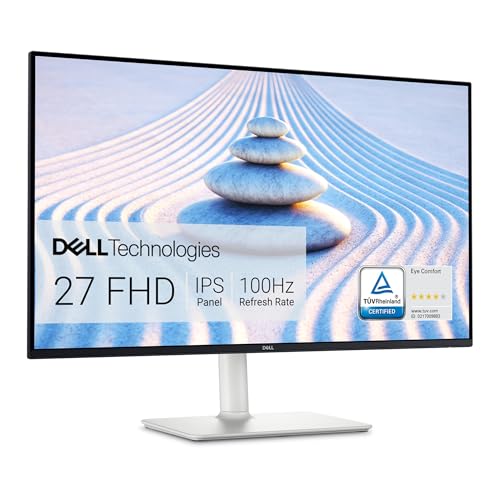
Dell lists the S2725HS as a 27-inch IPS monitor at 1920 x 1080 and 100 Hz, with 300 cd/m2 typical brightness, a 1500:1 contrast ratio and 99% sRGB. The pixel density is 82 pixels per inch. Ports are two HDMI inputs with no DisplayPort, USB-C or USB hub, and there are two 5W speakers. The stand offers about 5.1 inches (130 mm) of height adjustment, tilt, swivel and pivot, and Dell lists a 1-year Advanced Exchange warranty. Dell’s page showed it temporarily out of stock when we read it, so check the Amazon listing. The Dell S2725HS profile explains the rest.
It ranks eighth because the 1080p resolution on a 27-inch screen is the limit. Text edges are softer than on the 4K models, and Dell lists no adaptive sync. What you get is a clean, adjustable, low-cost screen for email, browsing and video. A laptop with only USB-C needs a USB-C to HDMI cable, and it will not charge the laptop. The model is not the S2725H (different stand) or the 1440p S2725DS.
9. ASUS ZenScreen MB16AHG — The Portable Second Screen
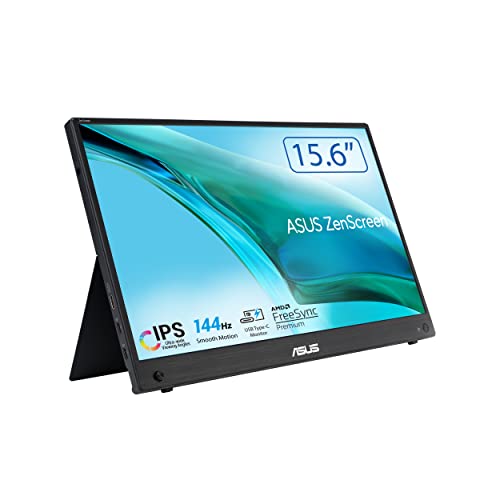
ASUS lists the MB16AHG as a 15.6-inch IPS monitor at 1920 x 1080 and 144 Hz, with AMD FreeSync Premium, 300 cd/m2 typical brightness and 100% sRGB. It has two USB-C ports with DisplayPort Alt Mode, one mini HDMI port and an earphone jack. ASUS lists a weight of 2.03 lb (0.92 kg), a tilt range of +15 to +35 degrees and a 1/4-inch tripod socket. There are no speakers, no height adjustment and no VESA pattern. Read the ASUS MB16AHG profile for more.
It ranks ninth because a portable screen is a supporting display, not a main desk monitor. For travelers, students and remote workers with a laptop, that supporting role is useful, and 144 Hz is rare in this class. ASUS does not say whether it runs on a single USB-C cable without the power adapter, so keep the adapter in the bag. The listing should read MB16AHG, not the MB16QHG or MB16AHV.
By budget, we group the models by range rather than price. Budget and entry-level: the Dell S2725HS and the ASUS ZenScreen. Mid-range: the Dell S2725QC, the BenQ MA270U and the Samsung G50D. Premium: the Dell U2725QE, the LG UltraGear OLED, the Alienware AW2725DF and the Samsung M8. Check the current price on Amazon before you decide, since prices change often around the holidays.
Conclusion
For most buyers, the answer is the Dell 27 Plus 4K USB-C (S2725QC): a sharp 4K screen, up to 120 Hz and one-cable laptop charging. Step up to the Dell UltraSharp U2725QE if you need Thunderbolt, Ethernet and a KVM switch, and choose the BenQ MA270U if the laptop is a MacBook. For gaming, the Samsung G50D is the most affordable gaming pick, the LG is the fastest, and the Alienware suits a dim room and a PC with DisplayPort. The Samsung M8 covers small spaces, the Dell S2725HS covers tight budgets and the ASUS ZenScreen covers travel. Whatever you choose, confirm the model number, the seller and the warranty on the Amazon listing.
We rank the Dell 27 Plus 4K USB-C (S2725QC) first. Dell lists a 27-inch 4K IPS panel at up to 120 Hz, a USB-C port with up to 65W of power delivery, two HDMI 2.1 ports and dual 5W speakers. It suits home offices, students and laptop users who want one cable.
Do I need 4K on a 27-inch monitor?
It helps for text. A 27-inch 4K screen is about 163 pixels per inch, while the 1080p Dell S2725HS is about 82 according to Dell. If you read and write all day, 4K looks noticeably crisper. If you mostly watch video or browse, 1080p is acceptable and the S2725HS is our budget pick.
Which monitor works best with a MacBook?
The BenQ MA270U is built around the Mac: BenQ lists 90W USB-C power delivery, 95% P3 coverage and software for brightness and volume keys. The Dell S2725QC and Dell U2725QE are also good matches. Check the wattage of your MacBook's own charger and how many external displays your model supports on Apple's tech specs page.
Is an OLED gaming monitor worth it?
It is worth it if you play fast PC games in a room where you control the light. Both OLED models here, the LG 27GX790A-B and the Alienware AW2725DF, list 1440p at 360 Hz or higher and 0.03 ms response. The trade-offs are modest brightness, softer Windows text on some panels and burn-in care. Check the seller and warranty terms before buying.
Can I use these monitors with a PS5?
Check the HDMI details first. The Samsung G50D lists HDMI 2 and no HDMI 2.1 port, and Notebookcheck says the Alienware limits HDMI to 1440p at 144 Hz. The LG lists two HDMI ports, and the Dell S2725QC lists two HDMI 2.1 ports. Sony's PlayStation support pages list the output modes your console supports.
Should I buy from Amazon or from the manufacturer?
Both can work, but some Amazon listings are sold by third-party sellers. Check the Sold by and Ships from lines, the exact model number in the title and whether the manufacturer's warranty applies to that unit.